






What Is SWR (Standing Wave Ratio)?
SWR, or Standing Wave Ratio, is a measurement of how efficiently your CB radio is sending power from the radio into the antenna.
In simple terms:
- Low SWR means most of the power is leaving the radio and going into the antenna (good).
- High SWR means some of that power is being reflected back into the radio instead of being transmitted (bad).
High SWR can reduce range, cause poor performance, and in extreme cases damage the radio. That’s why checking SWR is one of the most important steps when installing a CB antenna.
Why SWR Needs to Be Checked
- Ensures your antenna is the correct electrical length
- Protects your radio from reflected power
- Helps you get the best transmit range and audio quality
Any time you install a new antenna, change antenna location, swap coax, or move the antenna to a different vehicle, SWR should be checked again.
Understanding the Calibration Knob (CAL) — What It Does and What It Doesn’t Do
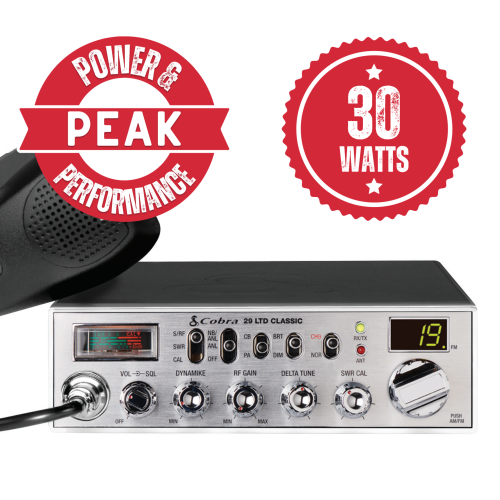
Many CB radios and external SWR meters use a CAL (calibration) knob. This is one of the most misunderstood parts of SWR testing.
A helpful analogy is an old mechanical bathroom scale:
- You must zero the scale before weighing yourself
- Adjusting the scale does not change your weight
The CAL knob works the same way. You are calibrating the meter so it can accurately display the SWR reading. Turning the CAL knob does not tune the antenna, improve SWR, or fix a problem.
If adjusting the CAL knob makes the SWR reading change, that means the meter is being used incorrectly.
Different Ways CB Radios Measure SWR
CB radios measure SWR in a few different ways depending on the model.
1) Radios With an SWR Meter and CAL Knob
These radios require manual calibration each time you check SWR.
Basic process:
- Set the meter switch to CAL
- Key the microphone
- Turn the CAL knob until the meter needle lines up with the CAL mark
- Without releasing the mic, switch the meter to SWR
- Read the SWR value on the meter
This process must be repeated for each channel you check.
2) Radios With Automatic SWR Calibration
Some radios remove the CAL knob entirely. These radios automatically calibrate the meter internally.
Typically, you:
- Set the meter switch to SWR
- Key the microphone
- Read the SWR directly
There is no manual calibration step.
3) Radios That Automatically Check SWR (Stryker-Style Radios)
Some radios automatically check SWR every time you key the microphone.
Depending on the model, the SWR may be displayed:
- On the analog meter
- Digitally in the channel display
No switches or calibration steps are required. The radio continuously monitors SWR for you.
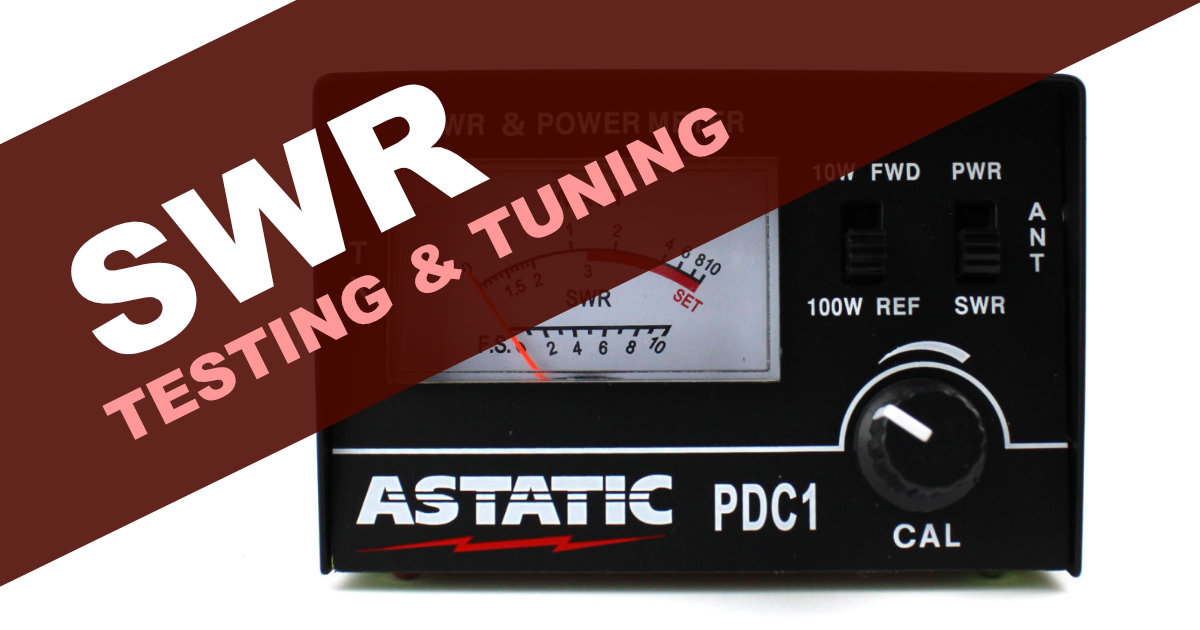
4) External / Handheld SWR Meters (FWD / REF)
Standalone SWR meters are installed inline between the radio and antenna.
These meters usually use terms like:
- FWD (Forward Power)
- REF (Reflected Power)
The process is similar to a radio with a CAL knob:
- Set the meter to FWD
- Key the mic and adjust CAL until the needle reaches the set point
- Switch the meter to REF
- Read the SWR value
How to Check SWR on Channels 1, 20, and 40
SWR should always be checked on multiple channels to determine if the antenna is too long or too short.
Check SWR on:
- Channel 1
- Channel 20
- Channel 40
Write the numbers down before making any adjustments.
What the Channel Readings Mean
- Channel 40 higher than Channel 1 (40 > 1): Antenna is too long → shorten the antenna
- Channel 1 higher than Channel 40 (1 > 40): Antenna is too short → lengthen the antenna
- Channel 1 and 40 equal (1 = 40): Antenna is properly tuned
Channel 20 is used as a reference point and is typically where final SWR is optimized.
Understanding Common SWR Readings
- 1.0 : 1 — Perfect match (ideal, but not always achievable)
- 1.2 – 1.5 : 1 — Excellent (no performance concerns)
- 1.6 – 2.0 : 1 — Acceptable (minor loss, generally safe)
- 2.5+ : 1 — Poor (reduced performance, potential radio stress)
The goal is not perfection. Anything under about 1.5 is considered very good in real-world installations.
How Different CB Antennas Are Tuned
Cut-to-Tune Fiberglass Antennas
These antennas are tuned by trimming small amounts from the top.
Common approach:
- Start long
- Cut small amounts at a time (typically 1/8"–1/4")
- Recheck SWR after each cut
Once material is removed, it cannot be put back, so patience is important.
Tunable-Tip Fiberglass Antennas
These antennas use an adjustable metal tip or screw.
- Raising the tip lowers SWR on higher channels
- Lowering or shortening the tip lowers SWR on lower channels
Some designs allow trimming the tip once final adjustment is found.
Long Whip / Stinger Antennas
Steel whip antennas are usually tuned by trimming the whip (stinger).
Typical process:
- Remove the whip
- Cut no more than 1/4" at a time
- Reinstall and recheck SWR
These antennas are very sensitive to small changes, so minimal cuts are recommended.
Tunable Ring Antennas (Base Antennas)
Some base antennas use adjustable tuning rings.
- Rings slide up or down to adjust electrical length
- Two rings are often used so they lock in place
Move the rings slightly, tighten them, then recheck SWR before making further changes.
Final Tips for Accurate SWR Readings
- Check SWR outdoors, away from buildings when possible
- Make sure all coax connections are tight
- Do not touch the antenna while measuring
- Never transmit for long periods with high SWR
If you are unsure about your readings or antenna type, it’s always better to ask before cutting or trimming.